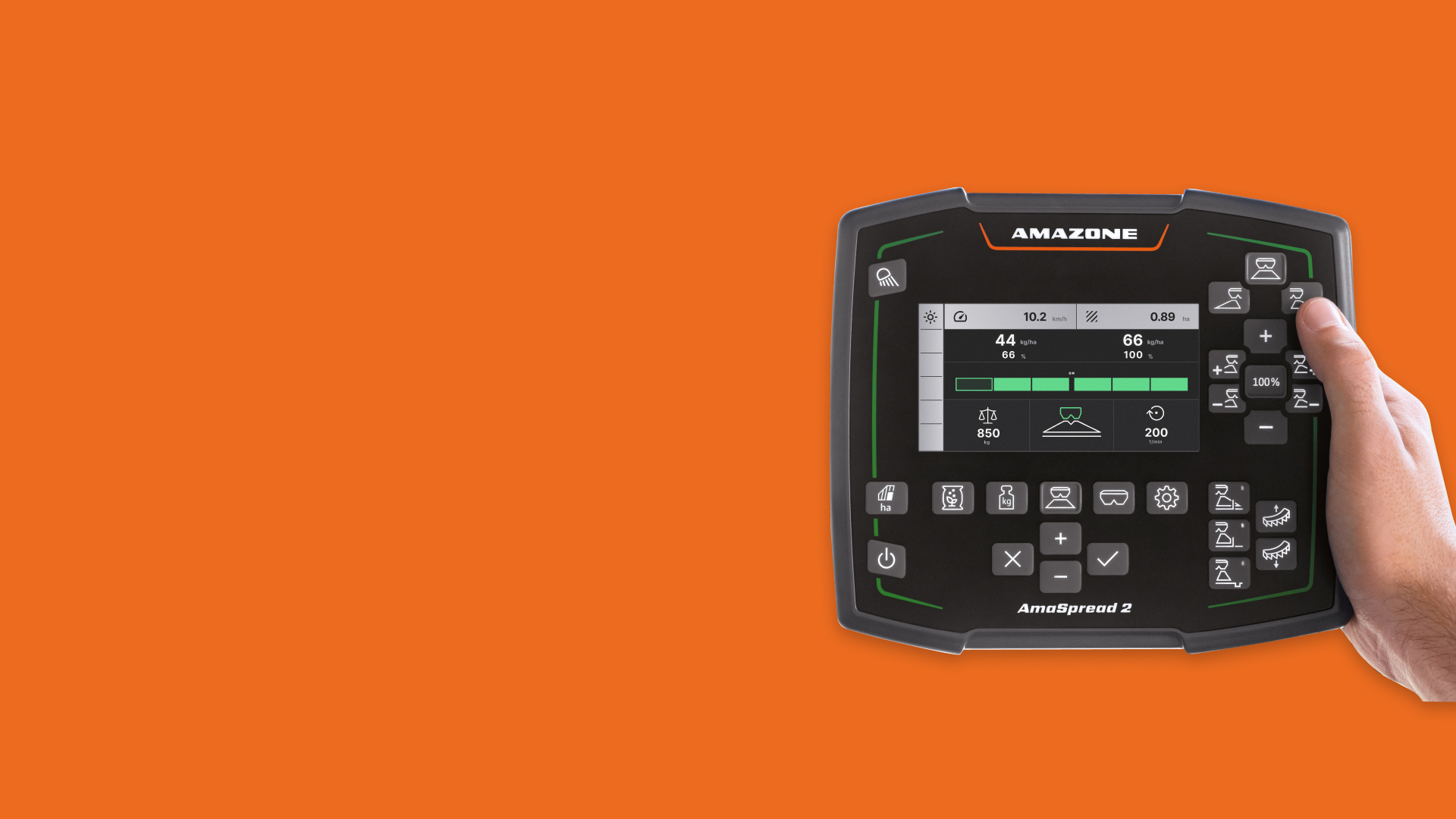
In cab spreading terminal for Amazone
AmaSpread 2 is Amazone's purpose built in cab terminal for the ZA-V Profis Control, a fertilizer spreader that manages GPS regulated application across large fields. The business goal: deliver a mid range terminal with premium usability, without requiring farmers to invest in expensive ISOBUS hardware.
I joined as UX designer on a greenfield project. No existing terminal to reference, no inherited patterns. Everything had to be designed from the machine logic up, starting with understanding how the hardware behaves, what it communicates, and what a farmer actually needs to see and do while operating it at full speed.
The 4.3" display sits in a cab that vibrates, tilts on uneven terrain, and fills with sun at noon. A farmer using this isn't at a desk. They're managing a machine throwing fertilizer at a GPS controlled rate across hectares of land, usually alone.
This framing anchored every decision: interaction model, button targets, contrast ratios, feedback timing. The terminal had to work under conditions where stopping to think is not an option and pressing the wrong thing has real consequences.
My first task was understanding the machine deeply enough to model it in software. Working with SMEs and product owners, many of them active farmers, I mapped every mechanical step that had to become a digital interaction, and identified where the physical and digital sequences had to stay in lock step.
Calibration was the hardest workflow to get right. It's a safety critical sequence: the farmer attaches a catch bucket under the spreader disc, opens the hopper, brings the PTO shaft to the correct speed, runs the spreader briefly to let fertilizer flow, collects the sample, and weighs it. The order matters. Skipping or rushing a step produces incorrect calibration data, and incorrect data means wrong spread rates across the entire field.
We designed a wizard style guided flow that mirrors this physical sequence step by step. Each stage is gated by a sensor boolean: the terminal reads machine state in real time and only unlocks the next step when the condition is confirmed. Open hopper, correct PTO speed, sample weight received. The machine tells the UI what's true. The farmer doesn't self report.
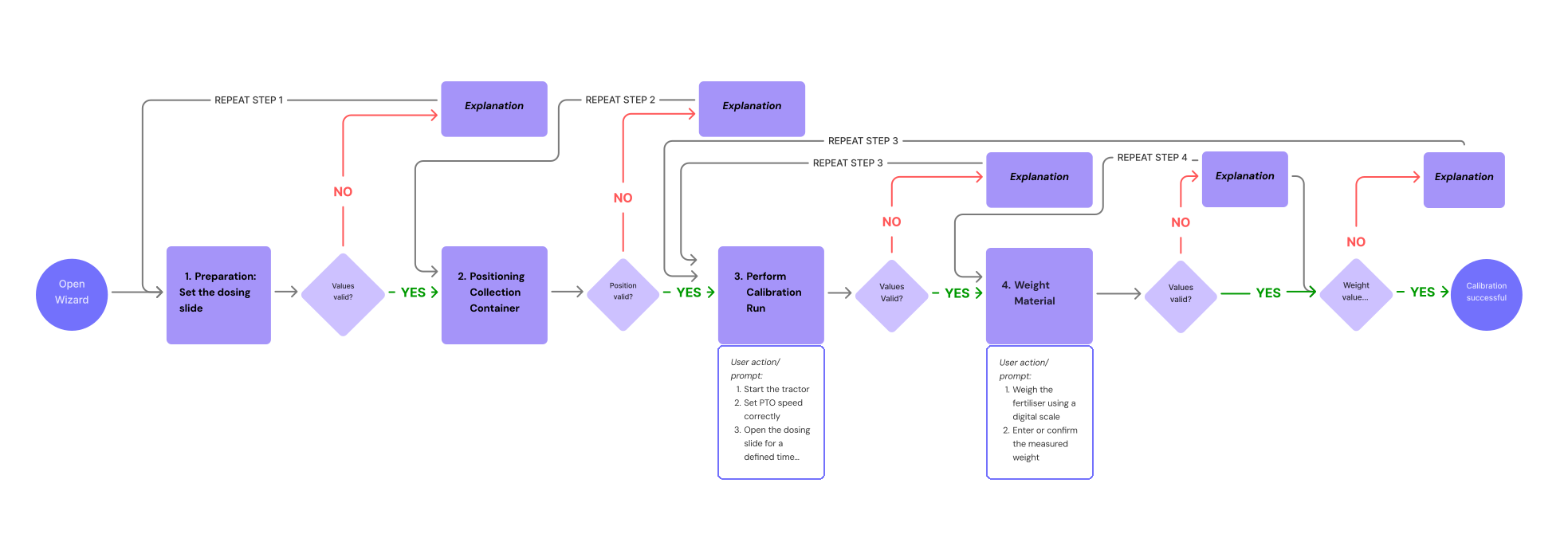
Guided calibration wizard, each step gated by live sensor state so the terminal only unlocks the next stage once the machine confirms it.
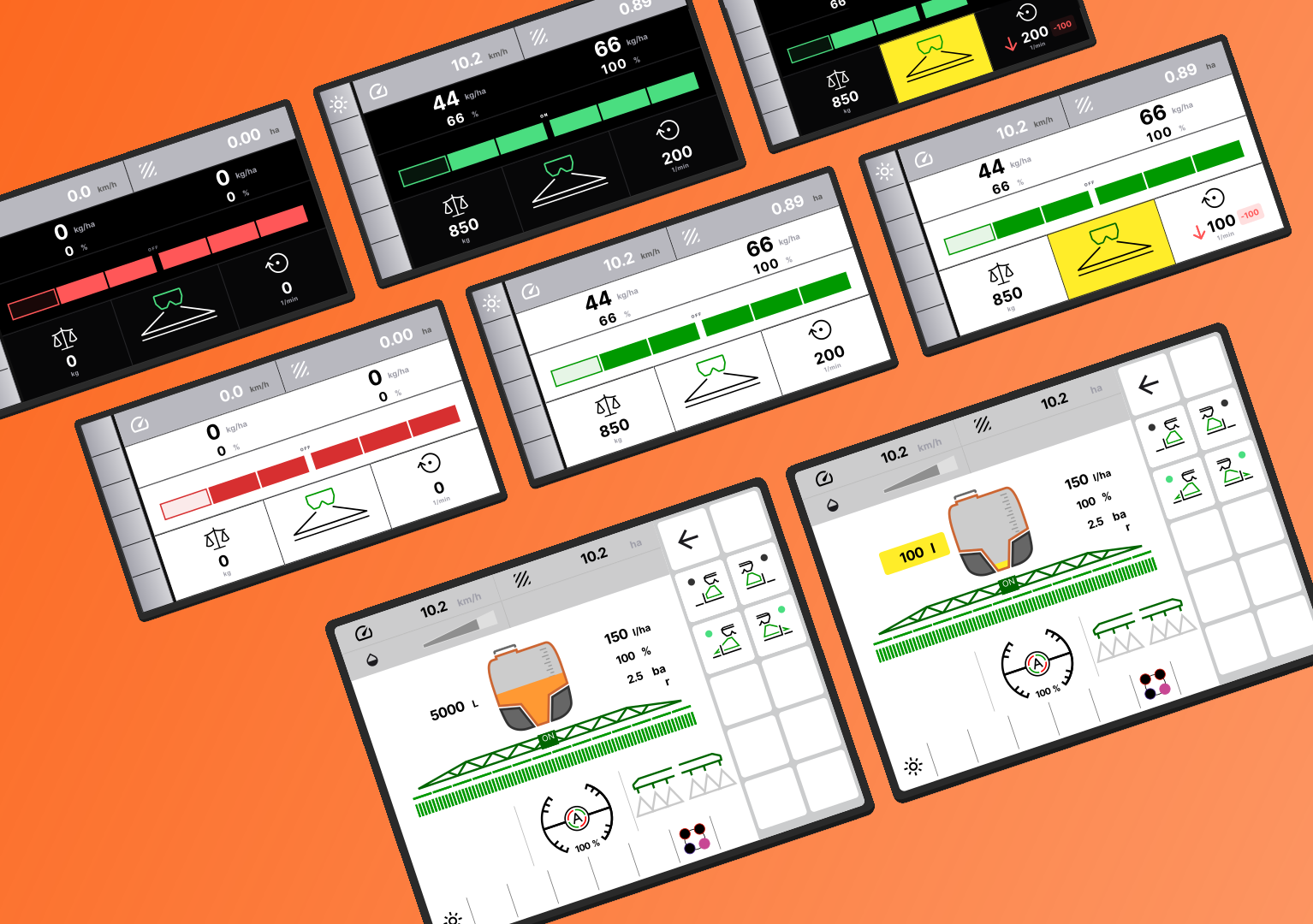
UI screens across the AmaSpread 2's 4.3" display and, bottom row, the ISOBUS terminal, built from the same design system to keep the product portfolio visually and functionally consistent.
The terminal runs on an existing design system, which meant working within established patterns rather than inventing freely. Where the system fell short, I extended it: new icons for machine states and spreading modes that didn't exist in the library, and color decisions pushed beyond the default spec to hold up in outdoor conditions. A palette that works on a monitor in a review session can wash out entirely on a 4.3" display at midday. That gap has to be designed for deliberately.
We put the prototype in a real tractor and ran a live spreading session. Three issues came back that no amount of screen reviews would have caught:
Live sensor data introduced edge cases in value formatting that looked fine with static test data. When actual machine readings came in, numbers displayed incorrectly, a problem invisible until you're in the field.
The machine has a one to two second hardware response delay after input. The UI had no transitional state in that window, so farmers pressed again, doubling the command. We added explicit ongoing feedback to make the wait legible.
We pushed contrast further than the design system recommended. The outdoor environment made it the obvious right call, something that only becomes clear when you're actually sitting in the cab.

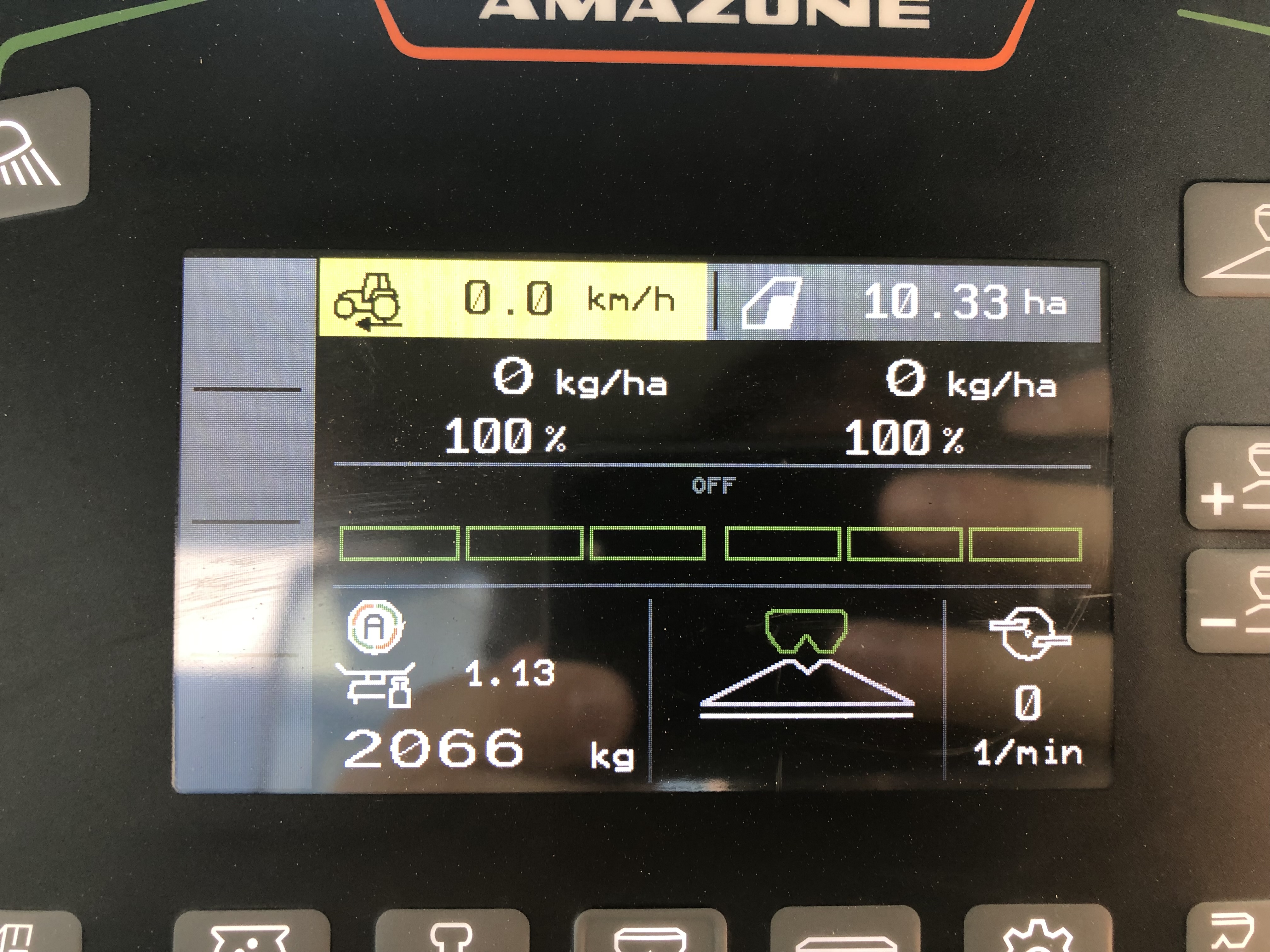
Live spreading session in a real tractor, terminal mounted in the cab, used to validate the prototype under actual field conditions.
The AmaSpread 2 shipped with the ZA-V Profis Control and entered the mid range market as a credible alternative to ISOBUS systems. The delivered UX covers the full spreading workflow: setup, fertilizer configuration, calibration, field operation, section control, and data logging, all operable with one hand, on a device that costs a fraction of high end alternatives.